
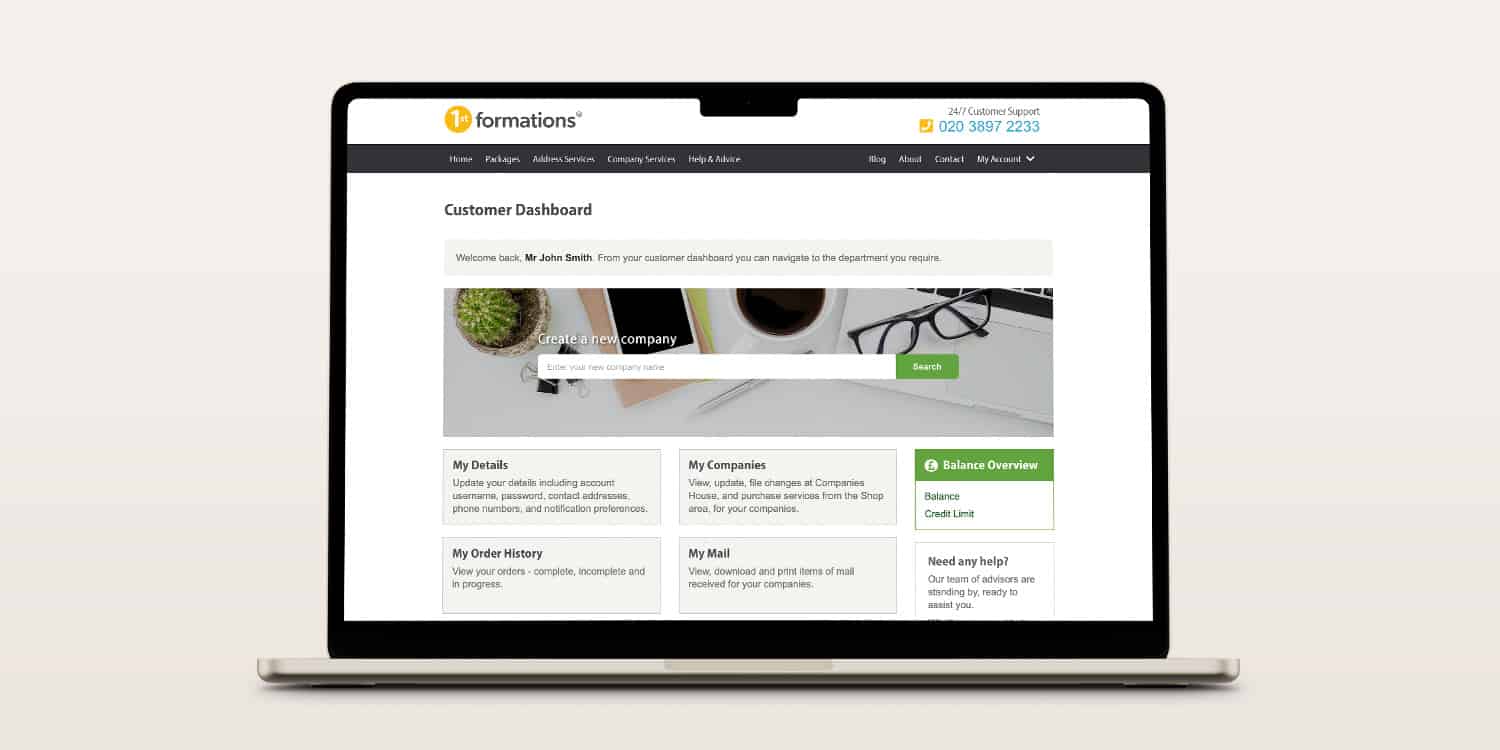

The 1st Formations Online Company Manager is your all-in-one platform for managing a UK limited company. Just formed your business or imported an existing one? This guide offers a practical, step-by-step walkthrough to help you navigate the dashboard confidently.
Learn how to update company details, file documents, manage services, and stay compliant – all in one secure platform. We’ll explain when and why to use each feature, define essential terms, and show how the Online Company Manager simplifies your everyday company admin.
Key takeaways
- Access comprehensive company admin tools through the free Online Company Manager after registering your company.
- Not formed with us? Import your company into our Online Company Manager for free.
- Update your account information, company details, and manage administrative tasks.
- View your scanned company mail 24/7 from anywhere.
- Benefit from our wide range of partner discounts and perks through “My Rewards”.
Setting up your Online Company Manager
Haven’t set up yet? There are two ways for you to get started with the 1st Formations Online Company Manager.
Register your company with 1st Formations
If you register your UK company with us, it will be automatically set up on the Online Company Manager immediately after incorporation. You can then benefit from all its features right away.
- How to change your forwarding address using our Online Company Manager
- How to access your mail using our Online Company Manager
- How to import a company to your Online Company Manager
Import a company
If you didn’t form your company with 1st Formations, you can still use our Online Company Manager.
Set up a 1st Formations account using this link. Then, import your UK company directly using the “Import a Company” feature.
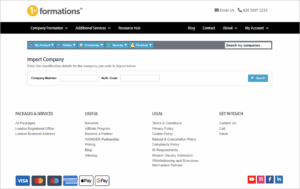
All we require is a company number and authentication code (your 6-digit alphanumeric filing password with Companies House). The import process only takes 2 minutes, then you can use the features on offer.
Accessing your Online Company Manager
To access the 1st Formations Online Company Manager, enter your username and password on the login page.
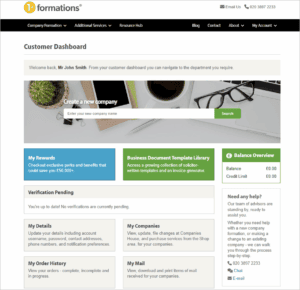
Once logged in, you’ll see the customer dashboard, which has a comprehensive directory of everything you need. If you have multiple companies on your account, you can view and manage them all here.
Managing your account and finances
Your Online Company Manager makes it easy to view and update key details and information relating to your payments. Access all these sections directly from your dashboard.
My Details
Track and manage your personal and contact information for your 1st Formations account. Keeping this section up to date helps ensure you don’t miss important updates about your company or filings.
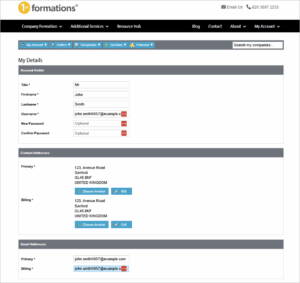
The details you can view and control here are:
- Contact name for the account
- Username
- Password
- Postal addresses (for contacting you and billing)
- Email addresses (for contacting you and billing)
- Phone numbers (for contacting you and billing)
- The notifications that you receive from us. Here, you can manage the email alerts that we send as your annual accounts and confirmation statement due dates approach.
My Order History
See a clear record of all the services and products you’ve purchased from us.
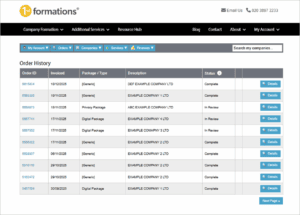
If you have multiple companies, you can see which orders relate to which company.
For each order item on this page, you’ll see a “Details” button. Select this to view how the order is broken down.
My Invoice History
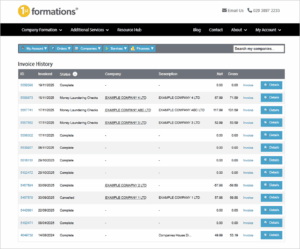
Use this section to manage all 1st Formations invoices. You can also download PDF copies for your bookkeeping records.
For each invoice listed, you can select “Details”, which will show:
- A breakdown of the invoice, including the order ID and the name of the company
- The status of the order (for example, if the order is “Complete”)
- The payments on file for the invoice
- A PDF copy of the invoice (select “View”)
My Services & Renewals
See which recurring services you’ve subscribed to and when they’re due for renewal. This includes services such as the Registered Office Address Service, which provides a UK address for your company, and the Confirmation Statement Service.
This page helps you stay on top of your subscriptions and avoid unwanted interruptions to your services.
For every service listed, you’ll see information including the:
- Name of the company that’s subscribed to the service.
- Name of the service (e.g. Registered Office – London).
- Status of the service (e.g. Active, Cancelled or Expired).
- End date (the date of renewal).
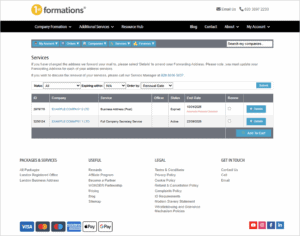
Use this page to amend your forwarding address for any mail services you have with us.
This specifically concerns our Business Address Service (unless you have selected the “scan and email” option), as well as the Registered Office Address Service and the Service Address Service (if official mail needs to be physically forwarded to you).
Card Management
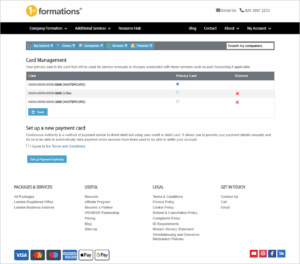
Securely manage the payment cards associated with your account. Any services that are purchased or renewed are charged on the “Primary card” listed on this page, unless you specify otherwise.
On this page, you can:
- Set up a new Payment Authority.
- Change the “Primary card” on file.
- Remove card(s) not in use – remember, you must always have a card on file to continue using any of our services.
Managing your company
The 1st Formations Online Company Manager also allows you to carry out key compliance tasks. This includes verifying your company details and updating specific aspects of its structure. Here’s what you can manage online.
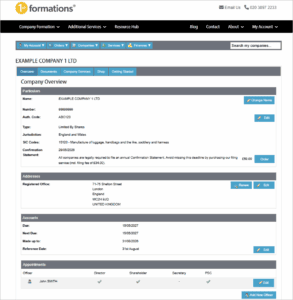
Particulars
Company name
Your company’s registered name (as listed at Companies House) appears at the top of the page. To change it, click the “Edit” button next to it. This will purchase our Company Name Change Service, to make the application on your behalf to Companies House (the filing fee is included in the price of the service).
Number
This is a record of your company’s registration number, a unique identifier for your business. You’ll need this number when dealing with Companies House and for other situations, such as setting up a business bank account.
Auth. code
This refers to your company’s authentication code, which is the online filing password that allows you to file with Companies House.
If you change your company’s authentication code, you can update it on your profile here so you can continue using our services and make filings directly through the Online Company Manager.
Type
This is the record of your company’s type – for example, Limited by Shares.
Jurisdiction
This is the record of the jurisdiction where your company is registered – it’ll either be England and Wales, Wales (only), Scotland, or Northern Ireland.
SIC Codes
This is a record of the Standard Industrial Classification (SIC) codes your company has recorded. Your SIC codes tell Companies House what your business’ activities are. For example, code 82200 represents “Activities of call centres”.


If these need to be updated, you’ll need to file a confirmation statement – see the next section for more details.
Confirmation statement
The confirmation statement is an annual filing that every company is required to submit to Companies House. It carries out several critical functions, including reporting your updated shareholder information.
This section provides the date your next confirmation statement will need to be made up to (the deadline is then 14 days after this date), helping you meet the filing deadline.
You can also purchase our Confirmation Statement Service directly from the Online Company Manager by selecting the “Order” button.
Addresses
Under this section, view and change your registered office address. Your registered office is your company’s official legal address in the UK. It has several rules, including being the designated address for government and legal mail for the company.
This section helps you meet the requirement to have an appropriate address for your registered office at all times. Change your registered office here, if needed, by selecting “Edit” and following the on-screen steps. Filing at Companies House is free – there’s nothing extra to pay.
Accounts
Every company is required to file a set of accounts annually. The accounts provide a snapshot of your company’s financial activity and are publicly visible.
This section provides you with key information about your company’s accounts dates, helping ensure you submit these on time.
The information available here includes the date by which your accounts need to be made up (this is called the Accounting Reference Date and can also be changed in this section by selecting “Edit”). It also includes the filing deadline, which is the date by which you must submit your accounts. If you don’t, your company could face penalties, including fines or forcible closure.
Keep an eye on this section to make sure you don’t fall behind.
Appointments
This section lets you view and update the key people involved in your company. Use it whenever people join or leave your company’s structure.
The layout is simple, displaying the names of the people in your company’s structure along with their specific roles (indicated by a green tick under the relevant position).
The role(s) they hold will be either:
- Director – a person who manages the company on a day-to-day basis.
- Secretary – a person appointed to assist the directors in fulfilling their legal duties.
- Shareholder – a person who is an owner of the company (their ownership is represented in the number of shares they hold).
- Person with significant control – this refers to an individual who ultimately owns or controls the company. In most small companies, it’s typically just the shareholders.

If you need to report a change to someone on your company’s structure, select the “Edit” button next to their name. There, you can amend their personal details and position within the company.
You can also choose to report the information directly to Companies House (except if you’re changing someone’s position as a shareholder, in which case you will need to use a confirmation statement). See the section above for more information. Submission to Companies House is free and helps you fulfil your requirement to keep Companies House up to date.


To report a new person as being part of your company’s structure (who’s not already listed), select the “Add New Officer” button at the bottom of this section and follow the instructions on screen.
Company Statements and Linked Statements
This section deals with “company statements”. A “company statement” is generally submitted to confirm that there are indeed no people with significant control for your company. You’ll need this section to comply with your PSC reporting requirements when there are no PSCs.
You can also use this section to remove previously reported company statements.
Shareholders
This section shows who your shareholders are and how many shares each one holds. The information is retrieved from the appointments section.
Check out our Rewards section
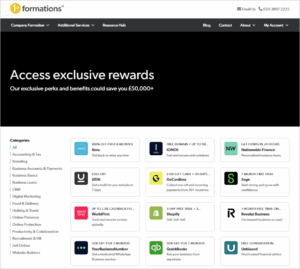
In addition to helping with your compliance tasks and filing duties, use the 1st Formations Online Company Manager to access a range of exclusive perks and benefits from top companies.
The “My Rewards” section has offers for services including accounting and tax, business banking and payments, CRM, digital marketing, recruitment, selling online, and website builders.
Some of the offers available include:
- Xero – get 100% off your first 6 months with this online accounting software that allows SMEs to work smarter and faster.
- HubSpot – save up to 90% on HubSpot’s all-in-one customer platform to start attracting new audiences and nurturing leads.
- Shopify – enjoy a 3-day free trial and 3 months for £1 to start selling online, in person, locally, or globally.
- HelloFresh – save a fantastic 50% off your first box, 20% off your first month, and free dessert for life, with this fuss-free way to eat well and shake up your weekly routine.
Stay compliant with the 1st Formations Online Company Manager
Don’t let company admin slow you down. 1st Formations Online Company Manager brings everything together in one secure platform.
Whether you’ve just formed your company with 1st Formations or imported an existing one, update details, monitor deadlines, manage services, and stay on top of compliance tasks with ease.
If you haven’t already, log in or create your account to take advantage of its time-saving features. Get ready to stay organised and in control of your limited company.



Join The Discussion