
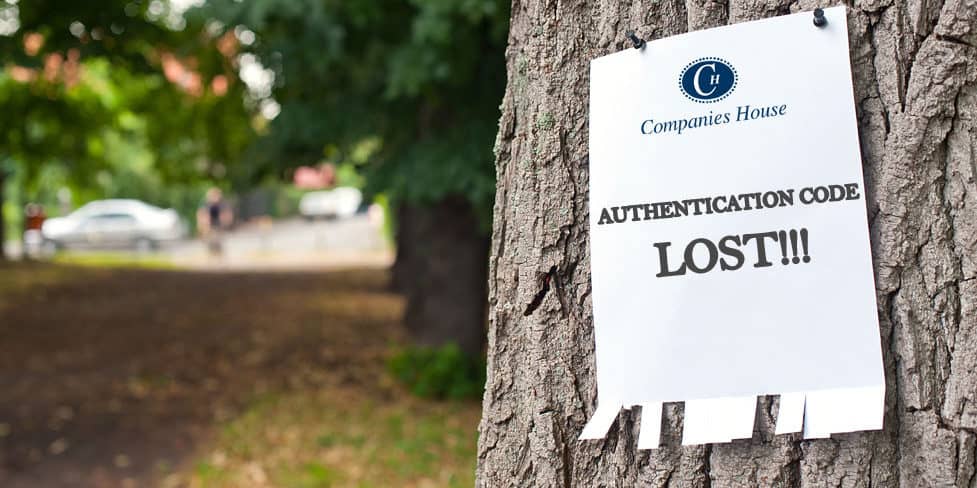

Lost your WebFiling authentication code? Don’t panic – you can easily retrieve it, though the fastest route depends on how you set up your company.
You need the code to complete your filings electronically, and it’s easy to mislay – you’ll usually receive it soon after incorporation but typically won’t use it until your first filing deadline.
If you registered directly with Companies House, you can request a reminder through WebFiling. If you used a formation agent like 1st Formations, you can usually find the code in your online account with them.
Read on to learn both routes, what to do if the code doesn’t arrive, and how to keep it safe.
Key takeaways
- Your WebFiling authentication code is a six-character alphanumeric code that lets your company file online with Companies House.
- Officially your company’s digital signature, it essentially acts as a password for online filing.
- If you registered directly with Companies House, request a reminder through WebFiling. It’s free, and Companies House posts it to your registered office. You’ll receive it within 10 working days.
- If you formed your company through an agent like 1st Formations, you can usually see the code by signing in to your account with the formation agent.
- If you can’t access your registered office address, an active officer can ask Companies House to post the code to their home address instead, which also takes around 10 working days.
- The code belongs to your company, not to you. It’s a separate credential from your personal code, which identifies you as an individual.
What is a WebFiling authentication code?
A WebFiling authentication code is a six-character alphanumeric code consisting of letters and numbers that Companies House issues to every company upon incorporation.
You’ll also see it referred to as a Companies House authentication code, and it works much like a password when you file information online through Companies House WebFiling.
The code belongs to the company rather than to you personally. Anyone with the authentication code can use it to get filing access to the company in WebFiling. They can then digitally authorise someone else to file on behalf of the company, so that person does not need to know the authentication code.
What your WebFiling authentication code isn’t
Your WebFiling code is not used to log in to your WebFiling account. You sign in with GOV.UK One Login, and the authentication code then authorises you to file for that particular company.
Additionally, the authentication code isn’t the same as the newer Companies House personal code.
The personal code belongs to an individual who has verified their identity, while the authentication code belongs to the company. You use the authentication code to prove you’re authorised to file on the company’s behalf – though someone the code-holder has authorised within WebFiling can file without ever seeing the code.
When will I use my WebFiling authentication code?
You use your authentication code to add the company to your WebFiling account. After that, you usually won’t need to enter the code again each time you file something online.
Alternatively, if you don’t add the company and authentication code to your WebFiling account, you will need to use your authentication code each time you file with Companies House.
It covers a range of filings, for example:
- Filing your confirmation statement, the yearly snapshot of your company’s details
- Filing your annual accounts, whether they’re full, abridged, micro-entity or dormant
- Appointing or removing a director or company secretary
- Changing your registered office address or other company details
These all have deadlines, so ensure the code is on hand to avoid having to hunt for it at the last minute.
Where do I find my WebFiling code?
When your company is first incorporated, Companies House sends its authentication code by post to the registered office address.
If a formation agent set up your company, they may also keep a copy of the code in your online account with them. For example, 1st Formations customers can view it in their Online Company Manager.
Requesting a code reminder from Companies House
If you have no joy in finding the code, you can ask Companies House to send you a reminder of your authentication code. It’s free. Here’s how to do it:
- Sign in to Companies House WebFiling. You sign in using GOV.UK One Login, or create sign-in details if you don’t have them yet.
- Enter your company registration number and confirm where the company is registered by selecting England and Wales, Wales, Scotland, or Northern Ireland. Then select “Confirm and continue”.
- Select the option for “I do not have an authentication code.”
- Check that the registered office details shown are correct, then select the green “Request authentication code” button.
Companies House will post the code to your registered office address. It can take up to 10 working days to arrive, and longer during busy filing periods. To reduce the risk of fraud, they won’t send it by email or read it out over the phone.
- The company authentication code and Companies House webfiling
- What is a Companies House personal code? Find and use yours
- How to use the 1st Formations Online Company Manager
A standard code request is always sent to the registered office, never to a Single Alternative Inspection Location (SAIL) address, which is a second address where a company can keep its statutory records.
Requesting a WebFiling code to your home address instead
If you can’t access your registered office, Companies House can send the code to an active officer’s home address instead.
An active officer is a currently appointed director or a member of an LLP whose current home address is already held by Companies House.
You can’t use this service if your company:
- Is not registered in the UK
- Has filed a document online in the last 30 days
- Is not a limited company or limited liability partnership (LLP)
- Has been dissolved
The code takes around 10 working days, the same as the registered office route.


Retrieving your code through a formation agent
If an agent helped you set up your company, they’ll often store the code in your online account for you.
As a 1st Formations customer, here’s how you can locate it:
- Go to Client Login.
- Sign in with your username (usually your email address) and your password.
- In your Online Company Manager dashboard, open the ‘My Companies’ section.
- Next to your company name, you’ll see your six-character code under the heading ‘Auth. Code’.
That’s it. You can copy the code and use it to authorise your filings in WebFiling.
Retrieving a code from Companies House vs a formation agent
Here’s a comparison of the two main routes for obtaining your WebFiling code, depending on whether you need to request a reminder from Companies House or whether you’ve incorporated through a formation agent like 1st Formations.
| Companies House reminder | Formation agent account | |
|---|---|---|
| Best if | You can’t find your code, you formed your company through Companies House, or your agent doesn’t hold a copy | Your agent formed the company and stores the code |
| What you do | Request a reminder through WebFiling | Sign in to your account with the agent |
| How you get the code | By post | View it online |
| Where it goes | Registered office, or an eligible officer’s home address | Displayed in your online account |
| How long it takes | Around 10 working days | Usually immediately |
| Cost | Free | Free |
How to change your WebFiling authentication code
You wouldn’t change your code for the sake of it, but there are times when it’s the right move. Change it if:
- Someone with access to the code has left the company
- Someone who shouldn’t have the code knows it
- You want a code that’s easier for you to remember
Whatever the reason, don’t make the new code easy for anyone else to guess. Mix letters and numbers, and steer clear of anything tied to your company name or number.
To change your code:
- Sign in to WebFiling using GOV.UK One Login
- Select ‘Company authentication’
- Enter your previous authentication
- Enter your new six-character code
- Select ‘Change code’
The new code takes effect immediately, so the old one stops working at once, and Companies House posts confirmation to your registered office.
If you’ve lost access to the company in WebFiling altogether, request a reminder first, as you need to access the company record before you can change anything.
What if my code doesn’t arrive?
If you’ve requested a reminder and it hasn’t arrived, give it the full 10 working days first, as mail from Companies House can be slow. If it still hasn’t come after that, there are a few things to check.
The most common cause is that the address on file is no longer accurate – for example, you moved premises but never updated the register, or a company formation agent’s address service has since ended.
If you discover that it’s wrong, you’ll need to update your registered office address before the code can reach you, and there’s a catch.
You need your authentication code to change the address online, the very thing you’re waiting for. You’ll need to use paper form AD01 instead, or form LLAD01 for an LLP, because you don’t need the code to file on paper. Once your address is successfully updated, you can request the code again.
There’s one exception. If your company has joined the PROOF scheme (protected online filing), Companies House will reject a paper AD01 because the scheme’s purpose is to block filing via paper forms. Contact Companies House directly to get the address changed.
If the address is correct and the code still hasn’t arrived, contact Companies House for more assistance.
If available to your company, you can also request the code to an active officer’s home address as explained above.
Keeping your code safe
Your authentication code works like a password for your company’s filings, and anyone who has it can file changes that impact your company. Guard it the way you’d guard any other password:
- Store it somewhere secure, such as a password manager, rather than a loose note or an email
- Avoid sending it by email wherever you can
- Only share it with people who genuinely need it, such as your accountant
If you think the wrong person has your code, change it straight away using the steps above.
Keep your code accessible
Losing your authentication code is a common problem, and it’s fixable. If you registered directly with Companies House, request a reminder through WebFiling and keep an eye on your registered office post. If you used an agent, your online account is almost always the quicker option.
Form your company with 1st Formations and your code is stored securely in your Online Company Manager, so there’s nothing to wait for in the post. We also send it to you as an email attachment as soon as your company is formed.
Our company formation packages include our convenient Online Company Manager as standard, along with address services and filing reminders to help you stay on top of your admin.





Join The Discussion