


If you need information about a company or want to check the information Companies House holds about your company, the Companies House ‘find and update company information’ service is the perfect tool for you. It allows you to search the registrar’s records for UK-registered companies to find the details you need.
We explain how to get the most out of this free online service, including the types of corporate data you can find, how to use its advanced search feature and the ‘follow a company’ service. Learn how accessing this information can help you research your competitors and suppliers, carry out due diligence and make sure your own company’s filings are up to date.
Key takeaways
- The Companies House search service is a free tool that lets you check the information about all UK-registered companies.
- You can find a range of information about the company, including its directors, shareholders, annual accounts, and recent filings.
- Monitor your company’s filings and updates through the service to prevent unauthorised changes and protect your interests.
- Use the advanced search feature to identify industry trends and potential market opportunities based on specific search criteria.
What is the Companies House search service?
The Companies House ‘Find and update company information service’ is a search engine of information the registrar holds on UK companies.
You can use this information to monitor compliance, carry out due diligence and risk assessments, help understand whether businesses are legitimate and reliable, and verify the identity of people that own and control a company. You can also use it to identify gaps in a particular market or to obtain useful data to analyse industry trends.
How complete is information on the public register?
Companies House only requires businesses to update or file certain information at certain points. For example, shareholder information only needs to be reported once every 12 months, whilst any changes to directors needs to be updated within 2 weeks. What’s more, some organisations don’t report information on time or at all, despite the consequences of not doing so.
You should also bear in mind that Companies House only holds certain legal and regulatory information and not information about overall performance or viability.
How to use the Companies House find and update service
Here is step-by-step guidance on how to search the UK register of companies.
1. Start on the service homepage.
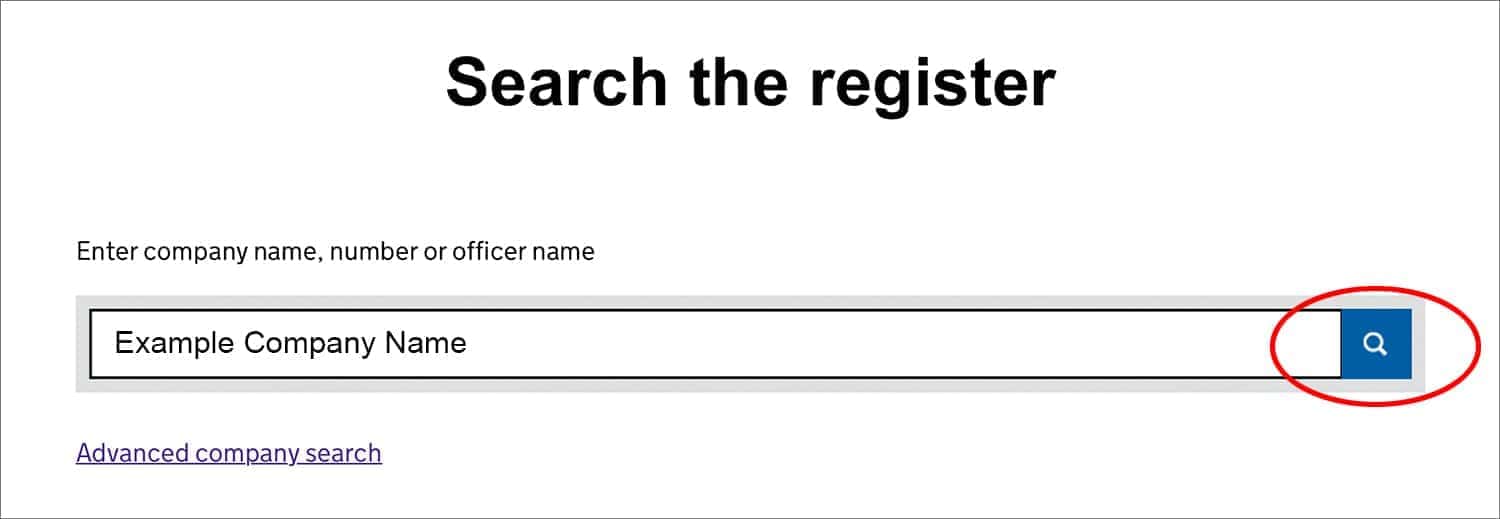
2. Enter the information you’re looking for in the search box and click the magnifying glass. For example:
a. Company name
b. Company registration number
c. Officer name
3. A list of results will appear. The results will contain the following information:
a. Name of companies
b. Name of officers
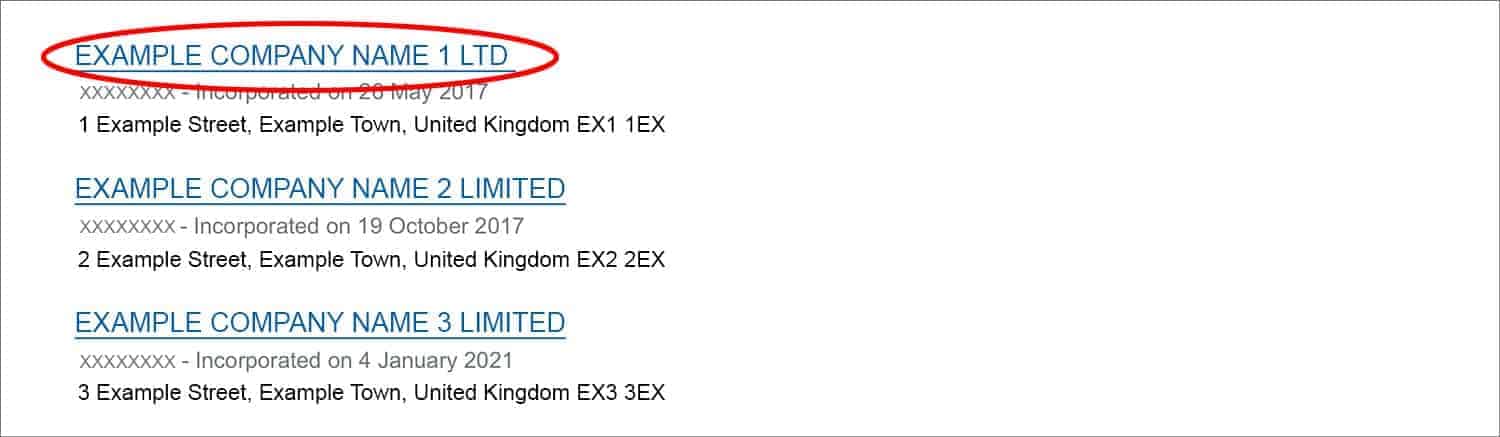
4. Scroll through the results to find the information you need. Click on anything you want to view.
5. If you can’t find what you’re looking for, try searching for the company registration number rather than the company name. You can find this on an invoice or on the company’s website.
What are the key features of the Companies House search tool?
Each company has a profile page showing its full registered name and company registration number. Below this information, there’s a row of four tabs.

Click on these tabs to search publicly available information about the company, including financial accounts and details of the people who own, control and run the business.
What’s in the overview section of a company listing on the public register?
You’ll find general information about a company in the overview section of its profile, including the following:
- Registered office address
- Company status – e.g. ‘active’, ‘dissolved’
- Company type – e.g. private limited company
- Date of incorporation
- Due date of the next set of annual accounts
- Date the last accounts were made up to
- Due date of the next confirmation statement
- Statement date of last confirmation statement (the date the confirmation statement is accurate up to)
- Standard Industrial Classification (SIC) codes, which describe what the company does
- Any previous names the company has been registered under
What does the filing history section of a public register listing cover?
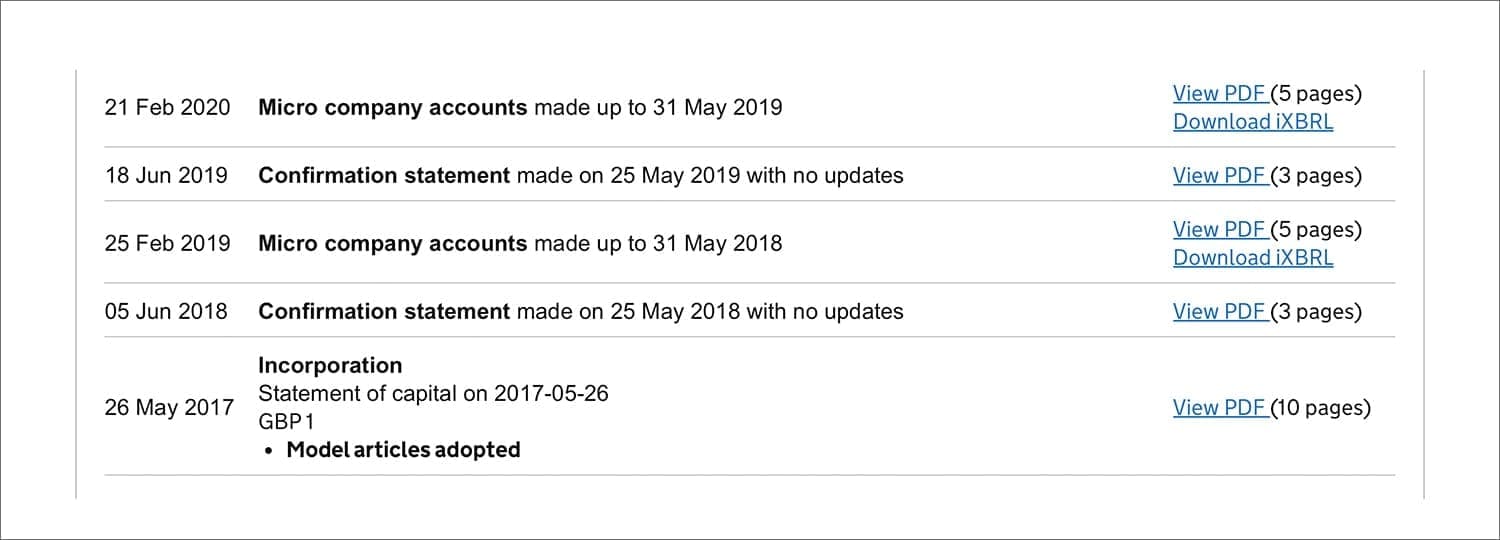
You can use the filing history section of a company’s profile to find a PDF of every document it’s filed, along with the document name and the date it was filed.
Filings you can view include:
- Incorporation documents – including the application to register, the certificate of incorporation, and the memorandum and articles of association
- Appointments – e.g. appointments of directors and company secretaries, termination of appointments and any change of details relating to those individuals
- Confirmation statements
- Annual accounts
- Charges – e.g. mortgage charges
- Insolvency information
- Share capital filings – e.g. statement of capital following an allotment (issue) of shares, changes to share classes and variations of rights attached to issued shares
Filings are shown in date order: the most recent are at the top. Use the filer function if there are multiple pages. View each filing, including company accounts, by selecting ‘View PDF’ or ‘Download iXBRL’.
Who’s in the people section of a company listing on the public register?
You’ll find information on directors, company secretaries, and people with significant control (PSCs) in the people section of a company listing, including those who have left the company.
The officers tab shows directors and secretaries; the persons with significant control tab who ultimately control the company.

What information about officers is on the public register?
You’ll find the following details for each director on the officer tab of a company’s profile:
- Full name
- Service address where official correspondence is sent
- Role – e.g. ‘Director’
- The status of their role: ’active’ or ‘resigned’
- Month and year of birth
- Date of appointment
- Resignation date (if applicable)
- Nationality
- Country of residence
- Identity verification status
You’ll find the following information about a corporate entity appointed as a director:
- Registered company name in full
- Correspondence address – e.g. its registered office address
- Role
- Date of appointment to the role
- Resignation date (if applicable)
- Company type – e.g. private company limited by shares
- Registration number
- Legal form of the company
- Governing law
- Where the company is registered
Company secretaries also have their information listed, although this includes only their name, service address, the status of their role, date of appointment, and resignation date (if applicable).
Click on an officer’s name to learn about the roles they have at other organisations and the work they do there.
Click the box next to ‘current officers’ at the top of the tab to filter the results to only show current officers.
What information about PSCs can I view on the public register?
You’ll find the following information about each PSC under the ‘Persons with significant control’ tab:
- Full name
- Their status as a PSC – i.e. ‘active’ or ‘ceased’
- Service address where official correspondence is sent
- Date Companies House was notified of the PSC
- Date they ceased to be a PSC (if applicable)
- Date of birth (month and year only)
- Nationality
- Country of residence
- Identity verification status
- Nature of control – percentage of the company they own and control and/or if they have the right to appoint or remove directors
You’ll find the following information about a corporate entity designated a PSC:
- Registered company name in full
- Correspondence address – e.g. its registered office address
- Date Companies House was notified of the PSC
- Governing law – e.g. Companies Act 2006
- Legal form – e.g. private company limited by shares
- Place registered – e.g. Companies House
- Registration number
- Place of incorporation – e.g. England & Wales
- Nature of control
Can I use the Companies House search service to find officers?
Yes, you can use the Companies House search service to look for an individual officer as well as an organisation.
Follow these steps to search by individual rather than by company:
1. Enter the name of the person you’re looking for on the ‘Search the register’ page and click on the magnifying glass icon.
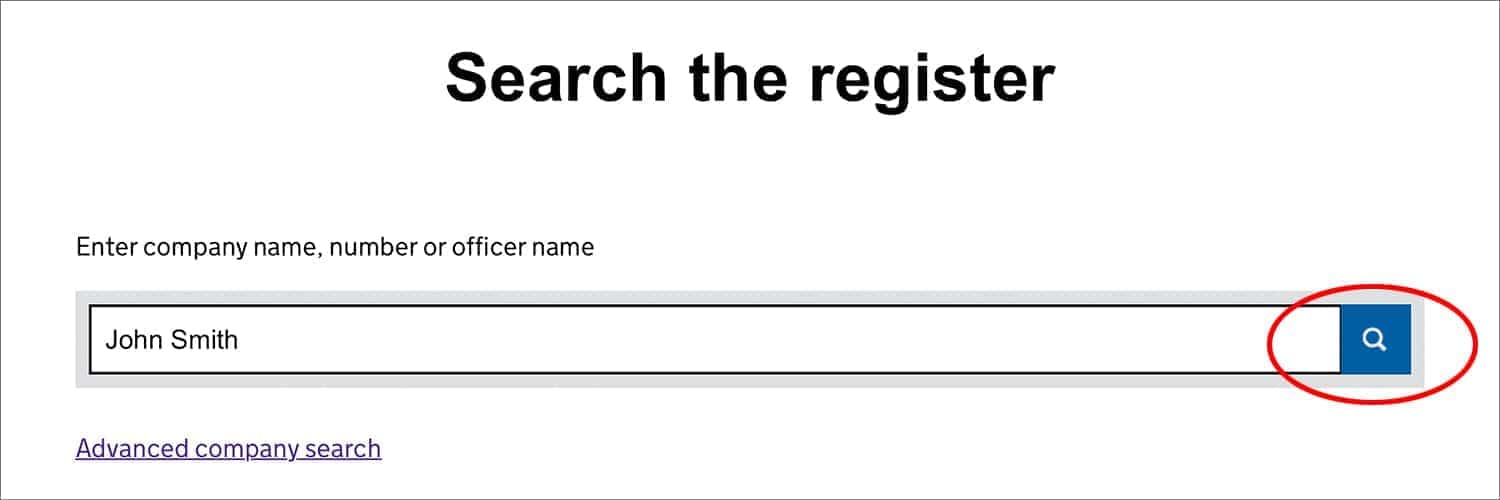
2. Select the officers tab on the results page to see people rather than companies.

3. Use the correspondence address listed under the name to find the right person.
4. If there are multiple listings for the same name, search for the person with and without their middle name if you know it, and pay attention to their date of birth in the search results.
5. Click on the name to view more information.
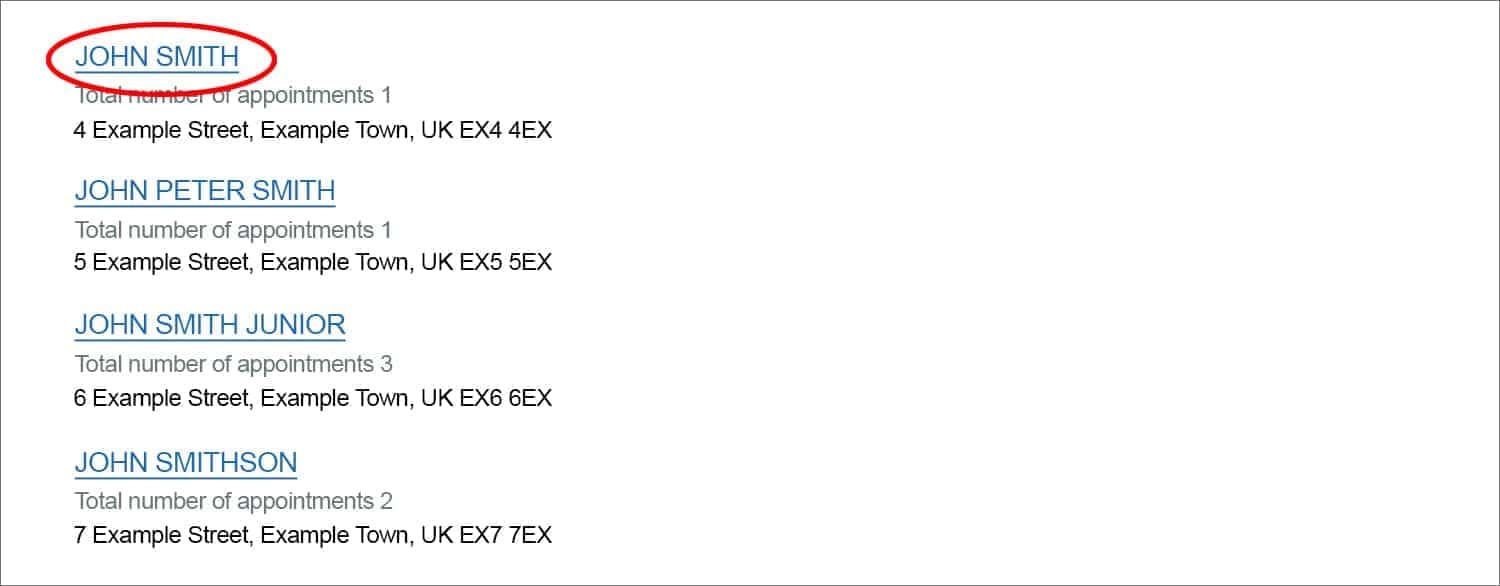
You can view the following information about an officer in their listing on the public register:
- Full name
- Date of birth (month and year only)
- Total number of appointments held (filter the results by selecting ‘Current appointments’)
- Correspondence address
- Company status
- Role
- Date appointed
- Date resigned (if applicable)
- Nationality
- Country of residence
- Identity verification status
- Companies associated with now or before this role
What information is listed under ‘more’ when I search the public register?
You can view a snapshot of company information and order a certified document under the ‘more’ tab of a company’s profile on the public register. You need a Companies House account to use these services. You must pay a fee to order a certified document.
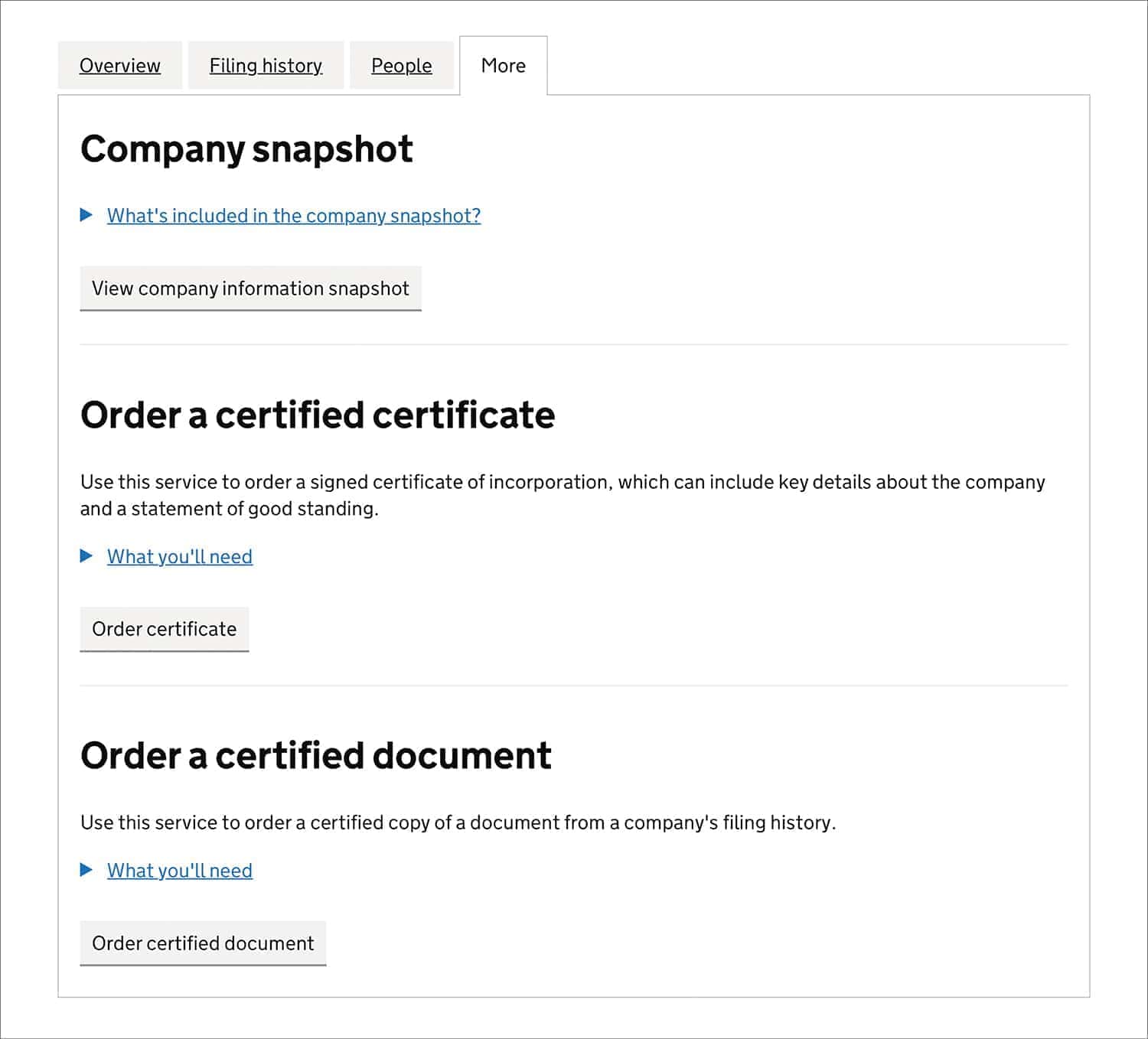
The company snapshot includes the following information on a company:
- Filing history
- Officers
- Persons with significant control
- Charges
- Insolvency
- Registers
What’s a certified certificate?
A certified certificate is a signed certificate of incorporation, which is an official document that confirms a company legally exists. It can include the following information:
- Summary statement (formerly called the “statement of good standing”)
- Registered office address
- Directors
- Secretaries
- The company’s purpose and any activities it restricts, set out in an objects clause (if the company has included one in its articles of association).
- If applicable, all company name changes since incorporation
What’s a certified document?
A certified document is a copy of any document filed with Companies House. Examples include the following:
- Certificate of incorporation
- Statement of capital
- Memorandum of association or articles of association
- Annual accounts
- Change of company name certificate
Anyone can order a signed certificate of incorporation or a certified document. However, only directors or shareholders of the company tend to use these options.
What are the benefits of the Companies House ‘follow a company’ option?
If you want to monitor a company’s activities, you can follow it on the public register. You may want to follow your own company, a client, supplier, or a competitor. Following your own company will alert you to any filings submitted. This can also help you detect unauthorised or fraudulent updates to your company.
You’ll receive email notifications of important events, such as when the accounts and the confirmation statement are filed, or if any changes are made to the directors’ details or the registered office address.
The ‘Follow this company’ tab appears underneath the company name in its listing on the public register. You need a Companies House account to access the service, which is free to set up.
You can also use the ‘File for this company’ button to submit certain information about your company. For example, to change to your registered office address or to report a new officer’s appointment.

What are the benefits of the Companies House advanced search?
The Companies House advanced company search function offers a wider range of filter criteria. You can use it to carry out market research, analyse competitors, industry trends, or economic activity, or to find business opportunities through identifying gaps in the market.
Use the following search criteria to filter your results:
- Company names – search by ‘Company names that contain’ or ‘Exclude company names that contain’
- Registered office address – enter a full or partial address
- Incorporation date (when a company is registered at Companies House) – enter an exact date or a date range
- Company status – could be used to carry out background checks
- Nature of business – enter a SIC code
- Company type or subtype – select one of 27 company types or two subtypes
- Dissolved date (when a company is shut down) – enter an exact date or a date range from 01/01/2010
You can scroll through your search results or download them as a CSV file (a type of spreadsheet). Only the first 5,000 results can be downloaded.
Can I remove my personal details from the Companies House search results?
You can ask Companies House to remove your home address from the public register if you used it as your service address or as a previous registered office address.
You can also request that Companies House removes the following personal information from the public register:
- day of birth on any documents filed before 10 October 2015 (after this date, the day element stopped being published on the public profile)
- business occupation
- signatures
You won’t have to provide any supporting evidence to have this information removed; it will be done automatically when you apply.
Will Companies House remove my personal details if I’m at risk of harm?
If you’re at risk of violence or intimidation due to your company’s work, you’ll also be able to request that Companies House keeps the following information private:
- name or previous name(s)
- any sensitive addresses
- all other personal details, including service addresses and, in the most serious of cases, partial date of birth
Can I ask Companies House to withhold my details from credit reference agencies?
Yes, you can ask Companies House to withhold your address from credit reference agencies if you’re at risk of harm due to your company’s activities.
Directors and LLP members can apply under section 243 of the Companies Act 2006, and persons with significant control (PSCs) can apply under section 790ZF of the Companies Act 2006.
Companies House may need supporting evidence before suppressing this information from the public register.
Common uses
Here are some examples of when the Find and Update service can be invaluable.
Home address being used by another business
If you receive unexpected business correspondence at your home address, another business could be using your home address as its registered office address.
Enter your home address in the advanced search function of the Find and Update service and search for registered office address. If there’s a match, you have proof that the company listed is using your home address as its registered office address.
Complete form RP07 and submit it to Companies House to have your home address removed for the public register.
Unsure if supplier is reliable
If you’re deciding whether to work with a particular supplier, use the Find and Update service to check the following information about the company:
- If they’re registered with Companies House
- How long they’ve been in business
- The company’s latest accounts
- Directors and other company officers
This information should give you a clearer picture of the company and help you decide whether to work with them.
Register a company
If you’re considering starting a new business, the 1st Formations team can guide you every step of the way. We provide professional support in every aspect of forming and running your business, from registering your company and setting up a registered office address, to filing your first confirmation statement.




Join The Discussion
Comments (4)
Hello. If I order a Order a company certificate, it will be issued with a current date?
Dear Bernardo,
Thank you for your kind comment.
If you are referring to the Certificate of Incorporation, this would show the date in which the company was formed.
Therefore, this would not have the current date. Should you have any additional queries, please do not hesitate to get in touch.
Kind regards,
The 1st Formations Team.
How can I get the contact details like email address or contact number from company house?
Thank you for your kind comment, David. You’ll be able to find the contact details for Companies House here – https://www.gov.uk/contact-companies-house.
Kind regards,
The 1st Formations Team