
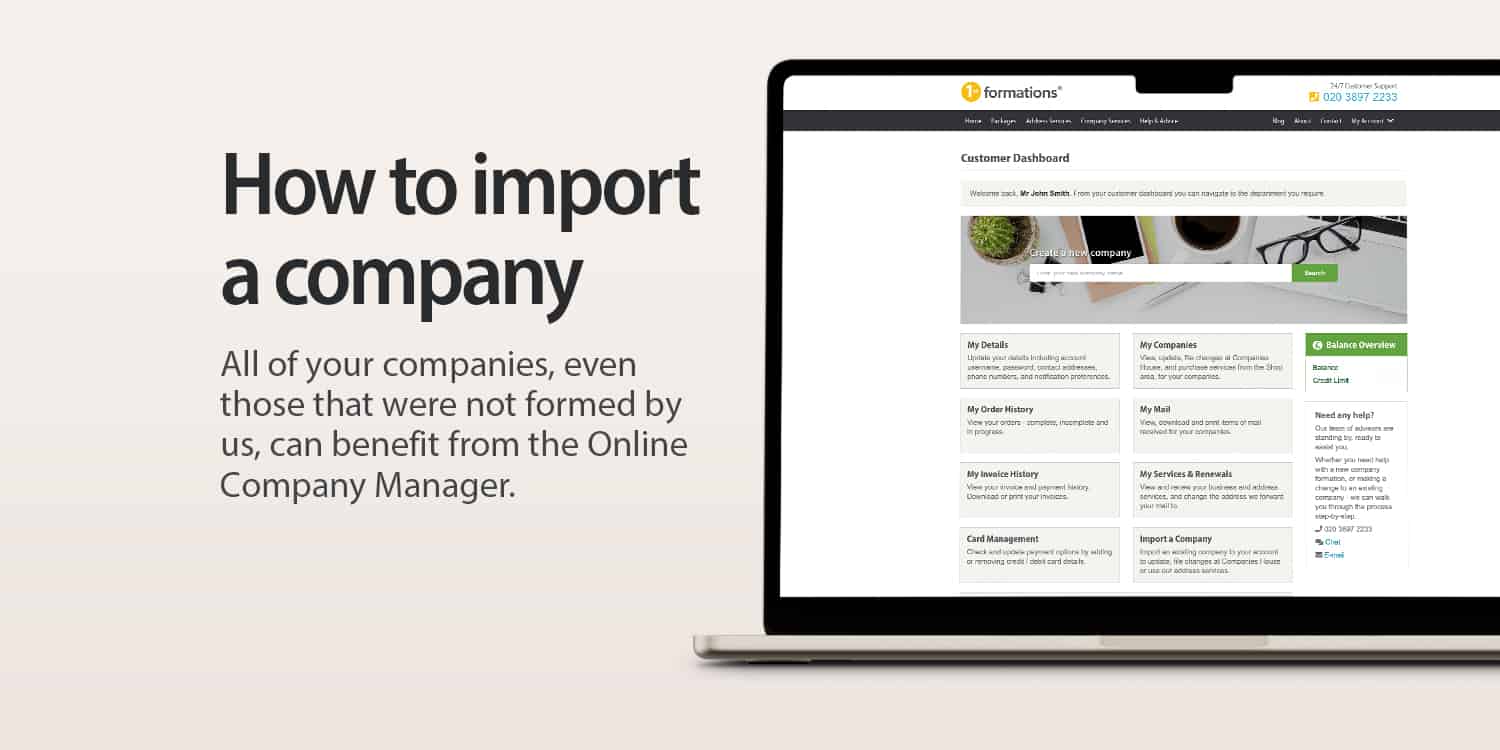


Did you know that you can add a company to your 1st Formations Online Company Manager even if it wasn’t formed by us?
This allows you to use our system to take care of various filing and admin tasks, without the hassle of having to log in to Companies House WebFiling. In this post, we’ll show you just how easy it is to import a company. Let’s get started.
Key takeaways
- Import any company into 1st Formations Online Company Manager for seamless admin and filing management.
- Access essential company services like registered office and accounting software through the Online Company Manager.
- Enjoy free administrative tasks, including updating addresses and appointing directors, directly via the Online Company Manager.
To import a company to the Online Company Manager, you will need:
- Username and password for your Online Company Manager
- Company registration number (CRN) for the company that you wish to import
- Company authentication code for the company that you wish to import
Importing your company in 6 simple steps
Adding a company to your 1st Formations account (and so the Online Company Manager) will only take a matter of seconds and is completely free:
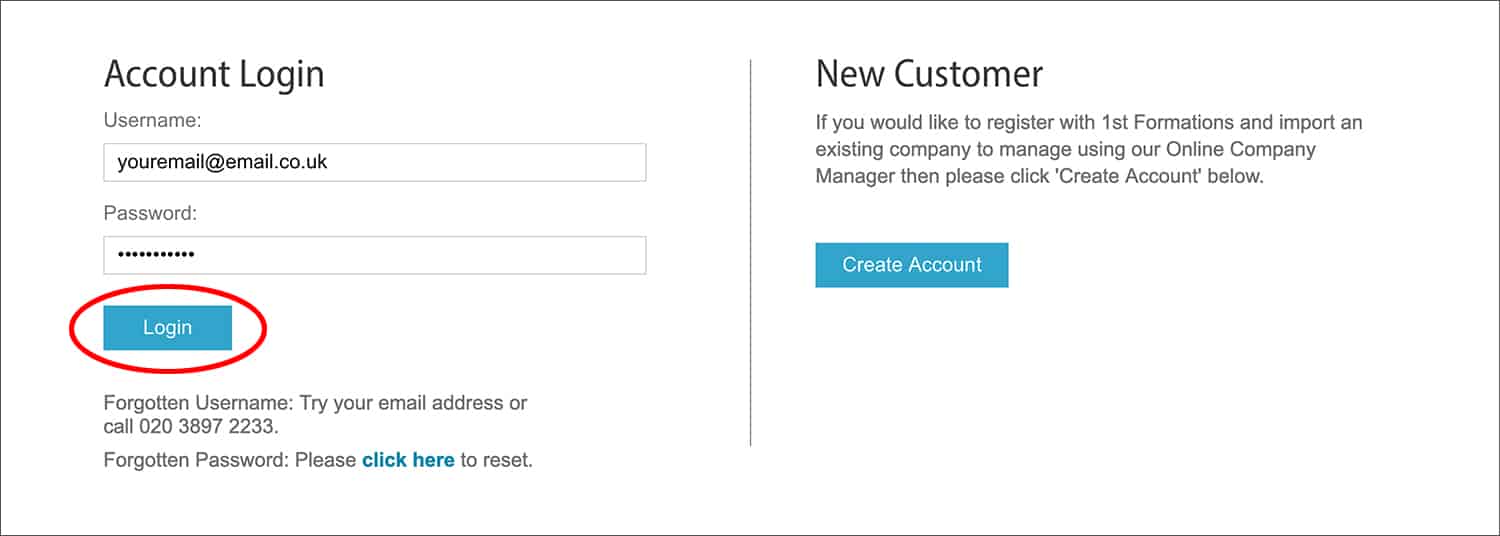
1. Log in to the Online Company Manager
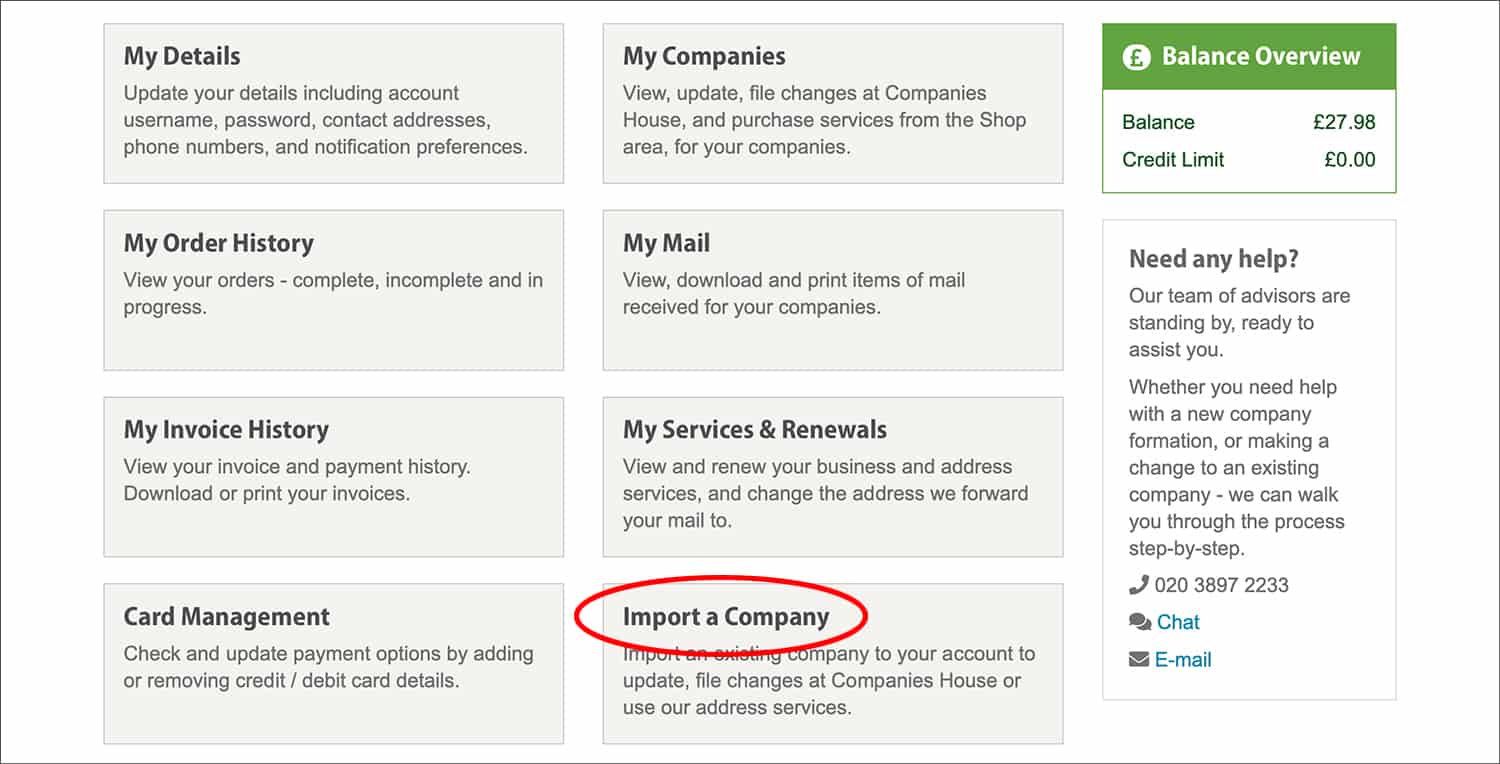
2. Click on the ‘Import a Company’ box, located on the bottom-right of your ‘Dashboard’
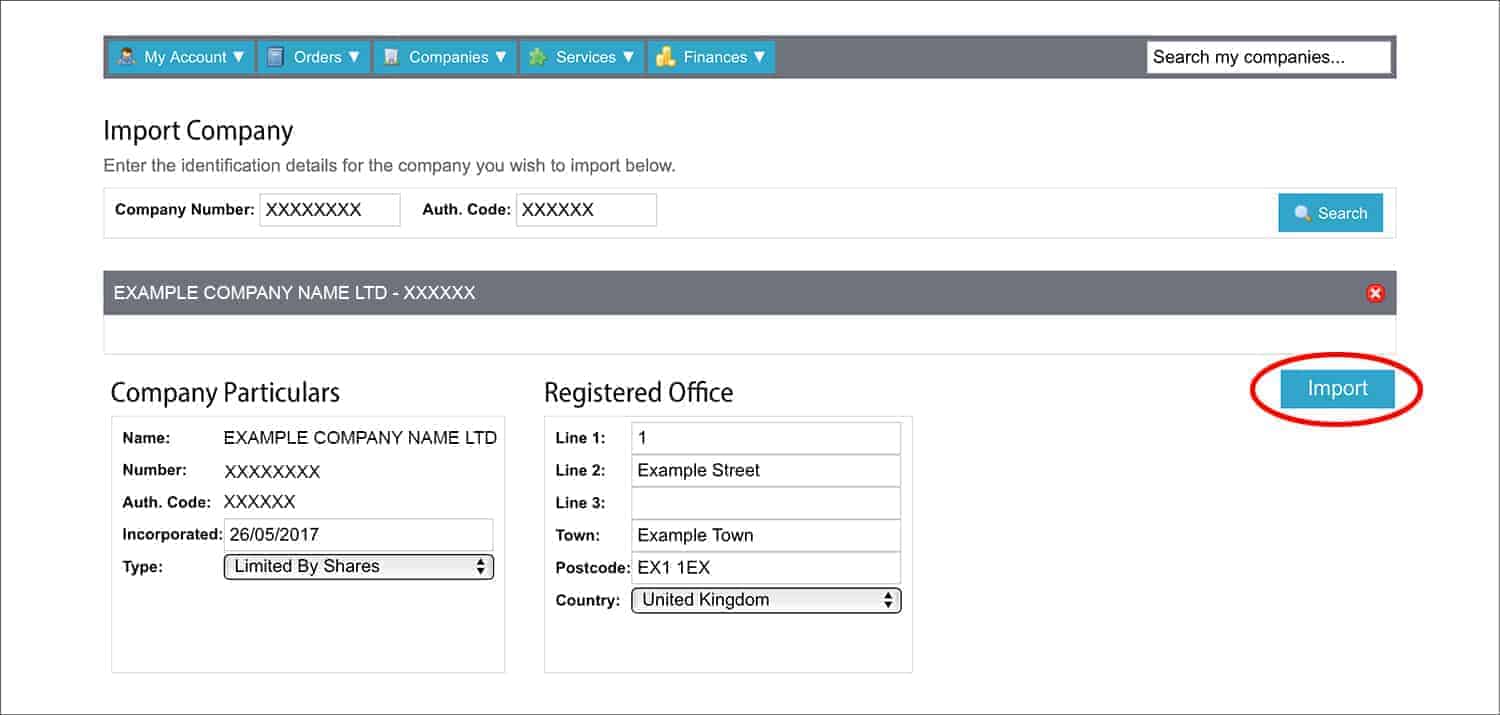
3. Enter the CRN



4. Enter the company authentication code

5. Click the ‘Search’ button

6. You will be presented with information about the company, including the ‘Company Particulars’ and the ‘Registered Office’ – provided that this is the correct company, select ‘Import’
That’s it. The company will now appear in the ‘My Companies’ section of the ‘Dashboard’.
Why import a company to the Online Company Manager?
The Online Company Manager syncs directly with Companies House. This means you can make important company updates and filings directly through our online manager. What’s more, you can purchase our services and opt-in to important company extras – such as business bank accounts – through the system.
In more detail, here is exactly what you can do:
Carry out the below company admin tasks for free:
- Update the registered office address
- Change the accounting reference date
- Appoint new directors, secretaries, and people with significant control
- Edit existing directors, secretaries, and people with significant control
- Resign existing directors, secretaries, and people with significant control
- Add new PSC statements
- View and download important company documents such as the certificate of incorporation, share certificates, and the memorandum and articles of association
Purchase the following 1st Formations services:
- Registered Office Address Service
- Service Address
- Business Address Service
- Business Telephone Services
- Confirmation Statement Service
- Hassle-Free Compliance Service
- Dormant Company Accounts Service
- Business Document Template Library
- ICO Registration Service
Take advantage of these business banking partnerships:
1st Formations has the largest selection of banking partners of any UK company formation agent, so you can choose the best business bank account for your company.
- Anna
- Barclays
- Lloyds
- Monzo
- NatWest
- Payoneer
- Revolut
- Starling
- Wise
- Zempler
Sign up for these business partner services:
- Anna accounting software
- FreeAgent accounting software
- Xero accounting software
- UK Business Forums membership
So there you have it: how to import a company to your Online Company Manager
The Online Company Manager is the perfect tool to take care of your limited company’s admin, and much more. Now you know how all of your companies – even those that were not formed by us – can benefit from the system.
We hope you have found this post helpful. Please leave a comment if you have any questions.



Join The Discussion